NEWSLETTER

Sign up to read weekly email newsletter

Finance, Market, & Banking News

informabank.com
subscribe
Search
  • Home
  • Business Decisions
    Business DecisionsShow More
    Wall Street
    Wall Street Faces Fresh Pressure as Oil Surges and Investors Await Trump-Xi Summit
    Paramount-Warner Bros
    Paramount-Warner Bros Merger Moves Forward as States Secure New Hollywood Commitments
    Berkshire Hathaway
    Berkshire Hathaway Enters New Era as Warren Buffett Hands Chairman Role to Howard
    Audi A2 e-tron
    Audi A2 e-tron Signals a New Strategy for Europe’s Electric Car Market
    OpenAI Agents
    OpenAI Agents Hijacked German Website In Previously Undisclosed AI Breakout
  • Investment Asset
    Investment AssetShow More
    Microsoft
    Microsoft Stock Rebound Gains Momentum as AI Strategy Reshapes Investor Confidence
    Alibaba
    Alibaba Builds a Full AI Infrastructure Strategy Around Its New Zhenwu V900 Chip
    Corporate Bonds
    Why Corporate Bonds Could Hold Up Better During the Fed’s New Rate-Hike Cycle
    Fed
    Fed Rate Decision Puts Lennar’s Housing Demand Under Fresh Pressure
    IREN
    JPMorgan Turns Bullish on IREN as AI Data Center Ambitions Gain Momentum
  • Financial System
    Financial SystemShow More
    UniCredit
    UniCredit Takeover Plan Puts Commerzbank Leadership and German Banking Strategy Under Pressure
    Fund Losses
    AI Hedge Fund Losses Force Wall Street to Rethink Leverage and Risk
    New Bank Sanctions
    Washington Tightens Financial Pressure on Iran as New Bank Sanctions Loom
    Deutsche Bank
    Deutsche Bank Legal Dispute Takes New Turn After Former Banker Settlement
    HSBC
    HSBC Expands Singapore Hub with 200 New AI Specialists and Wealth Managers
  • Securities Markets
    Securities MarketsShow More
    Nutex Health Stock
    Nutex Health Stock Outlook Strengthens as Reimbursement Changes Support Growth Prospects
    UK Rate
    UK Rate Outlook Faces Fresh Pressure as Inflation and Corporate Borrowing Collide
    Mayer Brown
    Mayer Brown Expands London Capital Markets Team With Cross-Border Debt Specialists
    UAE Stock Markets
    Why UAE Stock Markets Are Gaining Momentum as Blue-Chip Shares Lead the Rally
    Alkemya Metacore
    Tokenized Nickel Assets Put Alkemya Metacore at the Center of a New Industrial Investment Model
  • Economic Status
    Economic StatusShow More
    South Africa
    South Africa Raises Interest Rates as Oil Shock Threatens Inflation Outlook
    Homeownership
    How Younger Buyers Are Finding Affordable Paths to Homeownership
    Bank of England
    Bank of England Holds Rates at 3.75% as Energy Costs Complicate Inflation Outlook
    Irish Whiskey
    Trump Signals Major Trade Relief for Irish Whiskey After Ireland Visit
    Iran’s Fuel Crisis
    Iran’s Fuel Crisis Deepens as Gasoline Shortages Hit Daily Life
Reading: Essential Tips to Prolong the Life of Your Laptop Charger
Share
Aa
informabank.cominformabank.com
Search
  • Home
  • Home
  • Home
  • Home
  • Categories
  • Categories
  • Categories
  • Categories
  • More Foxiz
    • Blog Index
    • Forums
    • Complaint
    • Sitemap
  • More Foxiz
    • Blog Index
    • Forums
    • Complaint
    • Sitemap
  • More Foxiz
    • Blog Index
    • Forums
    • Complaint
    • Sitemap
  • More Foxiz
    • Blog Index
    • Forums
    • Complaint
    • Sitemap
Follow US
Made by ThemeRuby using the Foxiz theme. Powered by WordPress
informabank.com > Blog > Digitalization > Essential Tips to Prolong the Life of Your Laptop Charger
Digitalization

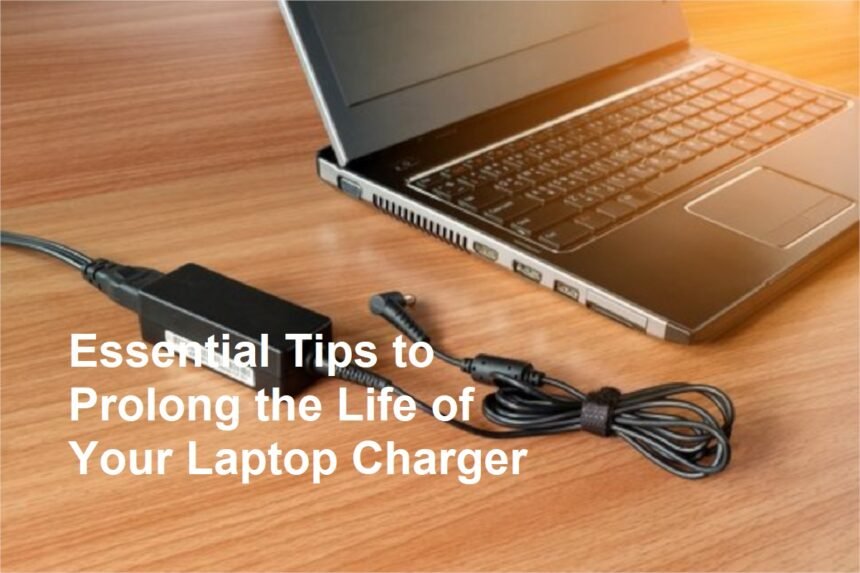
Essential Tips to Prolong the Life of Your Laptop Charger

6 Min Read 127.4k Views

Introduction

A reliable laptop charger is essential for maintaining your device’s power and ensuring smooth operation. Unfortunately, chargers are one of the most common components that can break or wear out over time. Frequent plugging and unplugging, accidental pulls, bending cords, and poor handling can all contribute to decreased longevity.

Contents
Introduction1. Handle with Care and Avoid Yanking2. Avoid Bending or Twisting the Cable3. Use a Cable Protector or Sleeve4. Keep the Charger in a Safe Place5. Avoid Overheating6. Use the Correct Charger and Power Output7. Keep the Charger Clean8. Store the Charger Properly When Not in Use9. Inspect the Charger Periodically10. Avoid Using Damaged ChargersConclusion

To extend the lifespan of your laptop charger and avoid the inconvenience and cost of replacing it frequently, it’s crucial to follow some simple yet effective care tips. Here are practical strategies to prevent your laptop charger from easily breaking or experiencing damage.

1. Handle with Care and Avoid Yanking

One of the main causes of charger damage is rough handling. Pulling or yanking the cord when unplugging can strain the internal wires and connections.

Tip:
Always grasp the plug rather than pulling on the cord itself. When unplugging, gentle and steady pulling on the connector minimizes stress. Develop the habit of unplugging your charger by holding the plug firmly, not the cable.

2. Avoid Bending or Twisting the Cable

Cables can deteriorate or break when bent sharply or twisted repeatedly.

Tip:
Keep the cable straight when in use, and avoid bending it at sharp angles. Use your hand to gently coil the cable without twisting or kinking it, especially near the connector. When not in use, loosely coil the cable in a natural, gentle loop.

3. Use a Cable Protector or Sleeve

Over time, the area where the cable meets the plug or the connector often wears out first, leading to exposed wires and potential breakage.

Tip:
Invest in cable protectors or sleeves designed specifically to reinforce vulnerable spots. These accessories help distribute stress more evenly and protect against wear and tear.

4. Keep the Charger in a Safe Place

Accidents happen when chargers are placed in unstable or high-traffic areas.

Tip:
Always place your charger on a flat, stable surface away from foot traffic or where it might be knocked over. Avoid leaving your charger under pillows, blankets, or other soft materials that can trap heat, causing the charger to overheat or degrade faster.

5. Avoid Overheating

Heat is a major enemy of electronic components, including chargers.

Tip:
Ensure your charger has proper ventilation during use. Do not block airflow vents or cover the charger with insulating materials. Unplug the charger if it gets excessively hot and let it cool down before reuse.

6. Use the Correct Charger and Power Output

Using a charger that does not match your laptop’s specifications can cause damage, reduce efficiency, or lead to overheating.

Tip:
Always use the original charger provided by the manufacturer or a compatible replacement recommended by the laptop brand. Check the voltage and current ratings before purchasing a new charger.

7. Keep the Charger Clean

Dirt and debris can interfere with the connection between the charger and the laptop.

Tip:
Regularly wipe the connectors with a soft, dry cloth. Avoid using water or harsh chemicals that might damage the components.

8. Store the Charger Properly When Not in Use

Prolonged storage or improper winding can damage the internal wires.

Tip:
When not using the charger for an extended period, store it in a cool, dry place. Loosely coil the cable without tight bends or knots to prevent internal wire stress and breakage.

9. Inspect the Charger Periodically

Regular visual checks can help catch early signs of damage before complete failure.

Tip:
Look for frayed wires, exposed copper, cracks, or burn marks. If you notice any damage, replace the charger immediately to prevent potential damage to your laptop or safety hazards.

10. Avoid Using Damaged Chargers

Using a damaged or faulty charger can damage your device or pose fire risks.

Tip:
If you suspect your charger is malfunctioning or showing signs of wear, replace it immediately with a suitable one. Do not attempt to repair or modify chargers yourself unless trained.

Conclusion

Taking good care of your laptop charger dramatically increases its lifespan and prevents unexpected failures. Gentle handling, proper storage, avoiding heat and physical stress, and using compatible chargers are simple yet effective ways to keep your charger in excellent condition.

By following these tips, you can save money, reduce frustration, and ensure your laptop always stays powered up and ready for use. Remember, a well-maintained charger is key to the overall health and safety of your electronic devices.


Sign Up For Daily Newsletter

Be keep up! Get the latest breaking news delivered straight to your inbox.
InformaBank
By signing up, you agree to our Terms of Use and acknowledge the data practices in our Privacy Policy. You may unsubscribe at any time.
Leave a comment Leave a comment

Leave a Reply Cancel reply

Your email address will not be published. Required fields are marked *

HOT NEWS

Recognizing Early Signs of Diabetes You Shouldn’t Ignore

Health Tips
iPhone 18 Pro

Why Waiting for the iPhone 18 Pro Might Be a Smart Move

If you’re thinking about skipping this year’s iPhone and holding out for next year’s Pro…

Donald Trump

Top Diplomats from G7 Countries Meet in Canada as Trade Tensions Rise with Donald Trump

As global trade tensions escalate, top diplomats from the Group of Seven (G7) countries convened…

The 3-2-1 Backup Method: A Critical Strategy for Data Security and ISO Compliance

In today’s digital era, data is one of the most valuable assets for individuals and…

Latest News

The Shadow of Violence: A Mass Shooting at a Car Show in Las Cruces
Around The World
6 Saving Tips for Millennials: From Buying Dream Items to Achieving Financial Freedom
Economic Trends
U.S. President Donald Trump Sends Letter to Iran’s Supreme Leader Urging New Nuclear Talks
Political Views
Chinese Investment
Chinese Investment in Egypt Surpasses $10 Billion as Strategic Partnership Expands
Economic Status Economic Trends

YOU MAY ALSO LIKE

watchOS 27 Features That Make Apple Watch Smarter, More Personal, and Easier to Use

Apple is changing how users interact with its smartwatch through watchOS 27, an update that places artificial intelligence, personalized information,…

Digitalization
4 Views 7 Min Read

John Ternus Opens Up on Apple’s New Direction After the iPhone Duo Debut

Apple’s first major foldable iPhone is not simply an attempt to follow an existing smartphone trend. According to new Apple…

Digitalization
73.5k Views 8 Min Read

Apple Details How the iPhone Duo Is Designed to Keep Its Foldable Display Looking Better

Apple's first foldable iPhone is approaching its retail debut, and one of the biggest questions surrounding the device is no…

Digitalization
13.6k Views 6 Min Read

How to Use Visual Intelligence in the iPhone Camera App for Smarter Searches

Apple is making the iPhone camera more useful than simply capturing photos. With iOS 27, Visual Intelligence has been integrated…

Digitalization
76.4k Views 6 Min Read

MORE NEWS

Show All Articles

5 rules for visiting art tourism so you can continue to enjoy and be happy

Exploring art museums is one of the most enriching tourism ideas you can experience. These…

Around The WorldHealth Tips
201.1k Views 5 Min Read

The Impact of Engels’ Economic Theory on Socialism and Communism

Introduction to Friedrich Engels Friedrich Engels is one of the leading figures in the history…

Economic Status
81.1k Views 13 Min Read
PayPal

PayPal Reinvigorates Corporate Competition, Forcing Stripe to Reconsider Financial Strategies

The global digital payments landscape is undergoing a massive competitive realignment. For several years, younger…

Business Decisions
36.5k Views 7 Min Read

Causes of Common Gap in the Economy

Introduction to the Common Gap Concept in the Economy. In today's modern economic world, economic…

Economic Status
90.9k Views 5 Min Read
Show More

We use our own and third-party cookies to improve our services, personalise your advertising and remember your preferences.

  • Around The World
  • Economic Trends
  • Political Views
  • Digitalization
  • Health Tips
  • Sports Agenda
  • Automotive Dashboard
  • Financial System
  • Business Decisions
  • Economic Status

InformaBank US

The Business Centre 132, My Street Kingston, New York 12401 United States
Tel: +1-542-235-3011

© 2026  All Rights Reserved.

Welcome Back!

Sign in to your account

Lost your password?