NEWSLETTER

Sign up to read weekly email newsletter

Finance, Market, & Banking News

informabank.com
subscribe
Search
  • Home
  • Business Decisions
    Business DecisionsShow More
    Bank of Japan
    Bank of Japan Reassesses Inflation Risks as Policy Normalization Gains Momentum
    Wall Street
    Wall Street Faces Fresh Pressure as Oil Surges and Investors Await Trump-Xi Summit
    Paramount-Warner Bros
    Paramount-Warner Bros Merger Moves Forward as States Secure New Hollywood Commitments
    Berkshire Hathaway
    Berkshire Hathaway Enters New Era as Warren Buffett Hands Chairman Role to Howard
    Audi A2 e-tron
    Audi A2 e-tron Signals a New Strategy for Europe’s Electric Car Market
  • Investment Asset
    Investment AssetShow More
    European Stocks Rebound
    European Stocks Rebound as AI Spending Optimism Lifts Chipmakers Amid Bond Market Pressure
    Microsoft
    Microsoft Stock Rebound Gains Momentum as AI Strategy Reshapes Investor Confidence
    Alibaba
    Alibaba Builds a Full AI Infrastructure Strategy Around Its New Zhenwu V900 Chip
    Corporate Bonds
    Why Corporate Bonds Could Hold Up Better During the Fed’s New Rate-Hike Cycle
    Fed
    Fed Rate Decision Puts Lennar’s Housing Demand Under Fresh Pressure
  • Financial System
    Financial SystemShow More
    UniCredit
    UniCredit Takeover Plan Puts Commerzbank Leadership and German Banking Strategy Under Pressure
    Fund Losses
    AI Hedge Fund Losses Force Wall Street to Rethink Leverage and Risk
    New Bank Sanctions
    Washington Tightens Financial Pressure on Iran as New Bank Sanctions Loom
    Deutsche Bank
    Deutsche Bank Legal Dispute Takes New Turn After Former Banker Settlement
    HSBC
    HSBC Expands Singapore Hub with 200 New AI Specialists and Wealth Managers
  • Securities Markets
    Securities MarketsShow More
    ESMA
    ESMA Targets Capital Market Integration in 2027 With Regulatory Overhaul and Digital Supervision
    Nutex Health Stock
    Nutex Health Stock Outlook Strengthens as Reimbursement Changes Support Growth Prospects
    UK Rate
    UK Rate Outlook Faces Fresh Pressure as Inflation and Corporate Borrowing Collide
    Mayer Brown
    Mayer Brown Expands London Capital Markets Team With Cross-Border Debt Specialists
    UAE Stock Markets
    Why UAE Stock Markets Are Gaining Momentum as Blue-Chip Shares Lead the Rally
  • Economic Status
    Economic StatusShow More
    Saudi Arabia
    Saudi Arabia Enters Global Top 30 as Tourism Sector Accelerates Its International Expansion
    South Africa
    South Africa Raises Interest Rates as Oil Shock Threatens Inflation Outlook
    Homeownership
    How Younger Buyers Are Finding Affordable Paths to Homeownership
    Bank of England
    Bank of England Holds Rates at 3.75% as Energy Costs Complicate Inflation Outlook
    Irish Whiskey
    Trump Signals Major Trade Relief for Irish Whiskey After Ireland Visit
Reading: How to Use Visual Intelligence in the iPhone Camera App for Smarter Searches
Share
Aa
informabank.cominformabank.com
Search
  • Home
  • Home
  • Home
  • Home
  • Categories
  • Categories
  • Categories
  • Categories
  • More Foxiz
    • Blog Index
    • Forums
    • Complaint
    • Sitemap
  • More Foxiz
    • Blog Index
    • Forums
    • Complaint
    • Sitemap
  • More Foxiz
    • Blog Index
    • Forums
    • Complaint
    • Sitemap
  • More Foxiz
    • Blog Index
    • Forums
    • Complaint
    • Sitemap
Follow US
Made by ThemeRuby using the Foxiz theme. Powered by WordPress
informabank.com > Blog > Digitalization > How to Use Visual Intelligence in the iPhone Camera App for Smarter Searches
Digitalization

How to Use Visual Intelligence in the iPhone Camera App for Smarter Searches

6 Min Read 76.5k Views
iPhone Camera App
iPhone Camera App

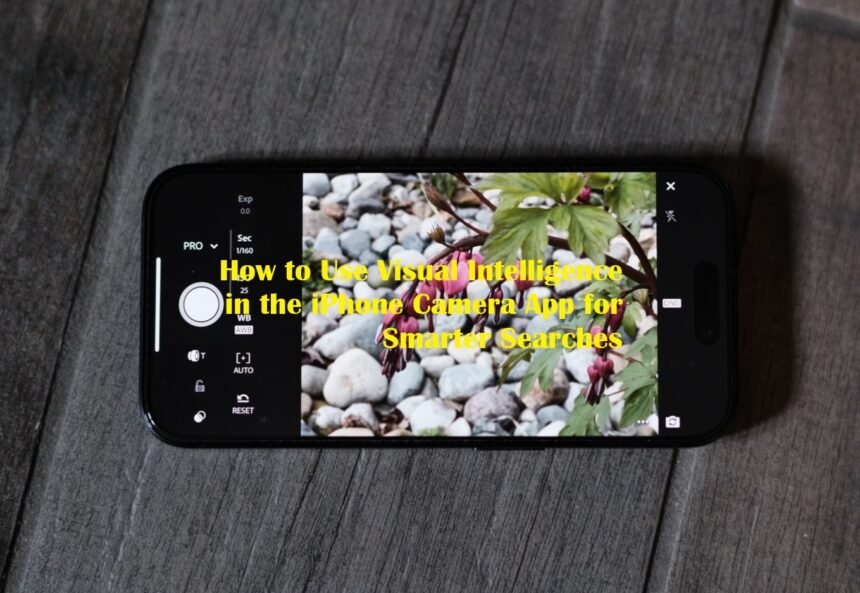
Apple is making the iPhone camera more useful than simply capturing photos. With iOS 27, Visual Intelligence has been integrated into the Camera app through a dedicated Siri mode, allowing users to point their device at an object, capture what they see, and receive information or perform actions based on the image.

The change gives Visual Intelligence a more visible role in everyday iPhone use. Instead of treating the feature as a separate AI tool, Apple places it directly alongside familiar camera modes, making it easier to access when users encounter something they want to understand.

Finding Visual Intelligence Through Siri Mode

To begin, open the Camera app on an iPhone running iOS 27 and move through the available camera modes until you reach Siri mode. The mode appears alongside options such as Photo and Video. Once activated, point the camera toward the object, document, food, plant, animal or other subject you want to examine. Press the main camera button to capture the image.

Visual Intelligence can then analyze the content and present information or suggested actions. Apple has also retained another access method. On supported iPhones, users can still press and hold the Camera Control button to launch Visual Intelligence. However, the Camera app’s Siri mode becomes the more prominent route in iOS 27.

Ask Siri About What the Camera Sees

One of the biggest changes is the closer connection between Visual Intelligence and Siri. After taking a picture, users can ask questions about the subject in front of them. For example, an unfamiliar object can be photographed and followed by a question about its purpose.

A plant can be identified, while a meal can be examined for nutritional information. Siri can also retrieve information from the web, allowing Visual Intelligence to move beyond simple image recognition. This makes the feature useful when the user wants an explanation rather than merely a name for the object.

Search for Products and Similar Images

Visual Intelligence can also turn the camera into a visual search tool. When users photograph an item they want to investigate, the feature can use image-search functionality to locate similar results. Apple has previously supported searches through services such as Google Image Search, while Visual Intelligence can also connect captured objects with shopping and other apps where supported. This could be useful when someone sees a piece of furniture, clothing item, accessory or unfamiliar gadget and wants to find comparable products online.

Turn Printed Information Into Actions

Another practical use involves documents and printed material. Visual Intelligence can recognize information from posters, flyers, business cards and other physical documents. A date found on an event poster can be turned into a Calendar entry, while contact details such as phone numbers and email addresses can be transferred into the appropriate iPhone apps.

The feature can also recognize website links and provide options for opening them. Text can be summarized, translated or read aloud, making the camera useful for processing information that would otherwise require manual typing.

More Everyday AI Functions in iOS 27

Apple has expanded Visual Intelligence beyond its earlier identification and search capabilities. For food, users can photograph a meal and receive nutritional insights. The feature can also help with restaurant bills by calculating how expenses should be divided, although Apple lists bill-splitting functionality as U.S.-only.

Users can additionally capture schedules and transfer multiple events into Calendar or Reminders. Other supported functions include identifying plants, animals, insects, landmarks, artwork and books. Visual Intelligence can also interpret labels, recipes, parking signs and handwritten notes.

Compatible iPhones Matter

Visual Intelligence remains tied to Apple’s Apple Intelligence hardware requirements. For iOS 27, MacRumors reports that the feature requires an iPhone 15 Pro or a newer compatible iPhone. Apple has also expanded Visual Intelligence to iPadOS 27, macOS and visionOS, although the access method differs between platforms.

The broader change in iOS 27 is therefore not simply another camera option. Apple is positioning the Camera app as an entry point for AI-powered visual assistance.  By combining image recognition, Siri, web information and system actions, the iPhone can increasingly respond to what users physically point the camera toward. For users who frequently need to identify objects, understand documents, research products or turn information from the physical world into digital actions, learning the new Siri mode could make the Camera app considerably more versatile.


TAGGED: Apple Visual Search, Camera Search Technology, iPhone AI Features, iPhone Camera App, iPhone Search Tips, iPhone Smarter Searches, Visual Intelligence, Visual Search Tools

Sign Up For Daily Newsletter

Be keep up! Get the latest breaking news delivered straight to your inbox.
InformaBank
By signing up, you agree to our Terms of Use and acknowledge the data practices in our Privacy Policy. You may unsubscribe at any time.
Leave a comment Leave a comment

Leave a Reply Cancel reply

Your email address will not be published. Required fields are marked *

HOT NEWS

Don’t Panic ! Your Essential Guide to Tracking a Lost or Stolen Android Phone

Digitalization
OPEC+

OPEC+ Agrees to September Oil Production Hike, Completing Rollback of Voluntary Cuts

The OPEC+ alliance agreed in principle to increase production quotas by roughly 188,000 barrels per…

How Inflation Shapes the World Economy

Introduction Inflation has become one of the most talked-about topics in the past few years.…

US Stock

US Stock Futures Dip as Soaring Oil Prices and Fed Outlook Spook Investors

U.S. stock futures moved lower as investors reacted to a sharp rise in oil prices…

Latest News

The Best Time to Water Your Plants: Maximizing Growth
Around The World Health Tips
Chinese Media Sohu Criticizes Coach Branko Ivankovic Ahead of Crucial June 2025 Duel Amid World Cup Qualifier Woes
Sports Agenda Around The World
The Disadvantages of Saving Money in Banks
Economic Trends Around The World
Say Hello to the Galaxy Z TriFold!
Digitalization

YOU MAY ALSO LIKE

watchOS 27 Features That Make Apple Watch Smarter, More Personal, and Easier to Use

Apple is changing how users interact with its smartwatch through watchOS 27, an update that places artificial intelligence, personalized information,…

Digitalization
10.7k Views 7 Min Read

John Ternus Opens Up on Apple’s New Direction After the iPhone Duo Debut

Apple’s first major foldable iPhone is not simply an attempt to follow an existing smartphone trend. According to new Apple…

Digitalization
73.5k Views 8 Min Read

Apple Details How the iPhone Duo Is Designed to Keep Its Foldable Display Looking Better

Apple's first foldable iPhone is approaching its retail debut, and one of the biggest questions surrounding the device is no…

Digitalization
13.6k Views 6 Min Read

iOS 27 Leak Points to Smarter MagSafe Wallets With Find My Integration

Apple appears to be preparing a new generation of MagSafe accessories that could make it easier for iPhone users to…

Digitalization
65.7k Views 6 Min Read

MORE NEWS

Show All Articles

Indonesia Plans to Send TNI Personnel to Russia for Advanced Military Training

Jakarta, February 2025 – In a significant move aimed at enhancing its military capabilities, the…

Political Views
425k Views 4 Min Read

How Cloud Technology Is Powering Global Sports Data Management

Introduction Sports today are no longer just about athleticism—they’re about data. From measuring how far…

Digitalization
73.5k Views 8 Min Read

Oscar Piastri: The Young F1 Star Who Triumphed at the Spanish GP, Beating Verstappen After Penalty Drama

Introduction Oscar Piastri’s breakthrough victory at the Spanish Grand Prix captured the imagination of Formula…

Sports Agenda
62.1k Views 5 Min Read

What Happened to Marc Marquez in the Dutch MotoGP Crash While Quartararo Dominated

Introduction The 2025 Dutch MotoGP at Assen was set to be another thrilling chapter in…

Sports Agenda
53.3k Views 5 Min Read
Show More

We use our own and third-party cookies to improve our services, personalise your advertising and remember your preferences.

  • Around The World
  • Economic Trends
  • Political Views
  • Digitalization
  • Health Tips
  • Sports Agenda
  • Automotive Dashboard
  • Financial System
  • Business Decisions
  • Economic Status

InformaBank US

The Business Centre 132, My Street Kingston, New York 12401 United States
Tel: +1-542-235-3011

© 2026  All Rights Reserved.

Welcome Back!

Sign in to your account

Lost your password?