NEWSLETTER

Sign up to read weekly email newsletter

Finance, Market, & Banking News

informabank.com
subscribe
Search
  • Home
  • Business Decisions
    Business DecisionsShow More
    Bank of Japan
    Bank of Japan Reassesses Inflation Risks as Policy Normalization Gains Momentum
    Wall Street
    Wall Street Faces Fresh Pressure as Oil Surges and Investors Await Trump-Xi Summit
    Paramount-Warner Bros
    Paramount-Warner Bros Merger Moves Forward as States Secure New Hollywood Commitments
    Berkshire Hathaway
    Berkshire Hathaway Enters New Era as Warren Buffett Hands Chairman Role to Howard
    Audi A2 e-tron
    Audi A2 e-tron Signals a New Strategy for Europe’s Electric Car Market
  • Investment Asset
    Investment AssetShow More
    European Stocks Rebound
    European Stocks Rebound as AI Spending Optimism Lifts Chipmakers Amid Bond Market Pressure
    Microsoft
    Microsoft Stock Rebound Gains Momentum as AI Strategy Reshapes Investor Confidence
    Alibaba
    Alibaba Builds a Full AI Infrastructure Strategy Around Its New Zhenwu V900 Chip
    Corporate Bonds
    Why Corporate Bonds Could Hold Up Better During the Fed’s New Rate-Hike Cycle
    Fed
    Fed Rate Decision Puts Lennar’s Housing Demand Under Fresh Pressure
  • Financial System
    Financial SystemShow More
    UniCredit
    UniCredit Takeover Plan Puts Commerzbank Leadership and German Banking Strategy Under Pressure
    Fund Losses
    AI Hedge Fund Losses Force Wall Street to Rethink Leverage and Risk
    New Bank Sanctions
    Washington Tightens Financial Pressure on Iran as New Bank Sanctions Loom
    Deutsche Bank
    Deutsche Bank Legal Dispute Takes New Turn After Former Banker Settlement
    HSBC
    HSBC Expands Singapore Hub with 200 New AI Specialists and Wealth Managers
  • Securities Markets
    Securities MarketsShow More
    ESMA
    ESMA Targets Capital Market Integration in 2027 With Regulatory Overhaul and Digital Supervision
    Nutex Health Stock
    Nutex Health Stock Outlook Strengthens as Reimbursement Changes Support Growth Prospects
    UK Rate
    UK Rate Outlook Faces Fresh Pressure as Inflation and Corporate Borrowing Collide
    Mayer Brown
    Mayer Brown Expands London Capital Markets Team With Cross-Border Debt Specialists
    UAE Stock Markets
    Why UAE Stock Markets Are Gaining Momentum as Blue-Chip Shares Lead the Rally
  • Economic Status
    Economic StatusShow More
    Saudi Arabia
    Saudi Arabia Enters Global Top 30 as Tourism Sector Accelerates Its International Expansion
    South Africa
    South Africa Raises Interest Rates as Oil Shock Threatens Inflation Outlook
    Homeownership
    How Younger Buyers Are Finding Affordable Paths to Homeownership
    Bank of England
    Bank of England Holds Rates at 3.75% as Energy Costs Complicate Inflation Outlook
    Irish Whiskey
    Trump Signals Major Trade Relief for Irish Whiskey After Ireland Visit
Reading: Signs of Your Computer Being Infected with Adware and How to Handle It
Share
Aa
informabank.cominformabank.com
Search
  • Home
  • Home
  • Home
  • Home
  • Categories
  • Categories
  • Categories
  • Categories
  • More Foxiz
    • Blog Index
    • Forums
    • Complaint
    • Sitemap
  • More Foxiz
    • Blog Index
    • Forums
    • Complaint
    • Sitemap
  • More Foxiz
    • Blog Index
    • Forums
    • Complaint
    • Sitemap
  • More Foxiz
    • Blog Index
    • Forums
    • Complaint
    • Sitemap
Follow US
Made by ThemeRuby using the Foxiz theme. Powered by WordPress
informabank.com > Blog > Digitalization > Signs of Your Computer Being Infected with Adware and How to Handle It
DigitalizationAround The World

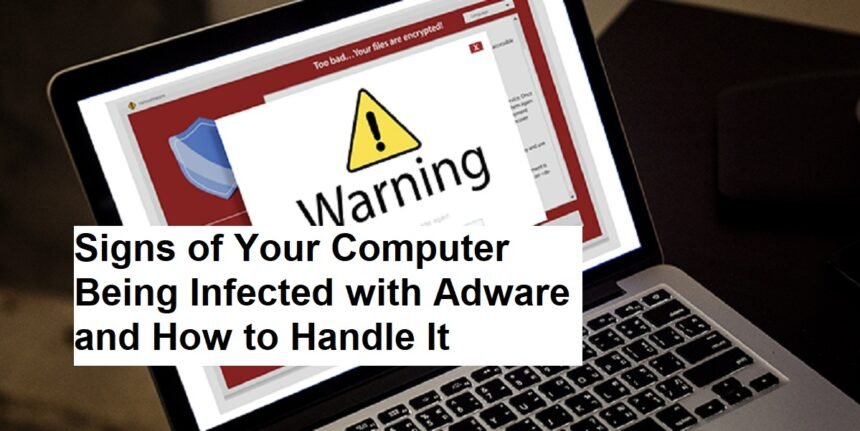
Signs of Your Computer Being Infected with Adware and How to Handle It

5 Min Read 20.7k Views

Introduction

In today’s digital environment, malware threats continue to evolve, with adware being one of the most common yet intrusive forms. While often less destructive than ransomware or viruses, adware can significantly degrade your system’s performance, compromise your privacy, and annoy you with endless pop-up ads. Recognizing the signs of adware infection early and knowing how to effectively handle and prevent it are crucial steps toward maintaining a healthy digital environment.

Contents
IntroductionWhat is Adware?Common Characteristics of Adware:Signs Your PC Might Be Infected with AdwareHow to Remove and Handle AdwareTips to Prevent Adware InfectionFinal Thoughts

What is Adware?

Adware is a type of malware designed primarily to display unwanted advertisements on your computer. Typically, it infiltrates your system bundled with free software, malicious websites, or deceptive downloads. While some adware is relatively harmless, it can also serve as a gateway for more serious malware infections or data theft if left unchecked.

Common Characteristics of Adware:

  • Displays pop-up ads and banners frequently.
  • Redirects your web browser to unwanted websites.
  • Slows down your system or internet connection.
  • Changes your default homepage or search engine without permission.
  • Collects browsing data to serve targeted ads, often without explicit consent.

Signs Your PC Might Be Infected with Adware

  1. Excessive Ads and Pop-Ups:
    If you notice persistent, intrusive advertisements appearing across your browser and even outside of it, your system may be infected with adware.
  2. Browser Redirects:
    Constant redirection to unfamiliar or suspicious sites when you open your browser or click links is a typical symptom.
  3. Slow System or Browser Performance:
    Adware consumes system resources, leading to sluggishness in your computer’s operation and browsers.
  4. Unwanted Toolbars or Search Engines:
    New toolbars, extensions, or changed default search engines that you didn’t install are signs of adware.
  5. Frequent System Crashes or Errors:
    Unusual errors or crashes might be related to resource overload caused by adware processes.
  6. Suspicious Network Activity:
    Unusual data usage or background processes communicating with unknown servers can indicate adware activity.

How to Remove and Handle Adware

Step 1: Disconnect from the Internet
To prevent further data leaks or malicious activity, immediately disconnect your device from the internet.

Step 2: Enter Safe Mode
Restart your computer in Safe Mode to prevent adware from running during the cleanup process.

Step 3: Use Reputable Anti-Malware Software
Run a full scan with trusted anti-malware or anti-adware tools such as Malwarebytes, Windows Defender, or other well-known programs. Make sure definitions are updated.

Step 4: Remove the Adware
Follow the software prompts to quarantine or delete detected threats. For stubborn adware, consider using specialized removal tools or seeking professional assistance.

Step 5: Clear Browser Data
Remove cookies, cache, and history from your browsers. Remove or disable suspicious extensions or toolbars.

Step 6: Reset Your Browser Settings
Restore your browser to default settings to eliminate unwanted changes.

Step 7: Update Your System and Software
Ensure your operating system, browsers, and security software are all up-to-date to patch vulnerabilities.

Tips to Prevent Adware Infection

  1. Download Software Responsibly:
    Only download applications from trusted sources and official websites. Avoid unverified third-party download sites.
  2. Be Cautious with Free Software:
    Many free apps bundle adware. During installation, opt for custom or advanced options to deselect unnecessary or suspicious components.
  3. Keep Software Up-to-Date:
    Regularly update your OS, browsers, and security tools to fix security loopholes.
  4. Use Reliable Security Software:
    Install and maintain reputable antivirus and anti-malware programs that can detect and block adware before it installs.
  5. Avoid Clicking on Suspicious Links:
    Beware of links in emails, pop-ups, or unfamiliar websites—clicking them may lead to infection.
  6. Remove Unnecessary Browser Extensions:
    Regularly review and disable or delete extensions and add-ons you no longer need.
  7. Back Up Important Data:
    In case of an infection, having backups allows safe restoration without paying ransoms or risking data loss.
  8. Educate Yourself:
    Stay informed about common online scams and methods used to spread malware.

Final Thoughts

Adware may seem less harmful compared to other malware threats, but its impact on your system’s performance, privacy, and the browsing experience can be significant. Recognizing early signs, taking prompt remedial action, and implementing prevention strategies are imperative to keep your computer running smoothly and securely.


Sign Up For Daily Newsletter

Be keep up! Get the latest breaking news delivered straight to your inbox.
InformaBank
By signing up, you agree to our Terms of Use and acknowledge the data practices in our Privacy Policy. You may unsubscribe at any time.
Leave a comment Leave a comment

Leave a Reply Cancel reply

Your email address will not be published. Required fields are marked *

HOT NEWS

Can the New Football Money Model Finally Level the Playing Field for Women

Can the New Football Money Model Finally Level the Playing Field for Women?

Digitalization
European Stocks Rebound

European Stocks Rebound as AI Spending Optimism Lifts Chipmakers Amid Bond Market Pressure

European shares moved higher on Tuesday, September 29, 2026, as renewed optimism surrounding artificial intelligence…

Mitch McConnell

Longtime Senator Mitch McConnell Remains Hospitalized as Aides Maintain Strict Silence on Condition

The United States Senate faces a period of operational uncertainty as one of its most…

Luke Kennard

Luke Kennard Receives Special Endorsement After Lakers’ Huge Game 1 Win

The opening game of the playoff series delivered intensity, drama, and standout performances. Among the…

Latest News

Fed Chair Powell Warns Trump’s Tariffs Could Fuel Inflation and Job Losses, Complicating Rate Cut Plans
Economic Trends Around The World
Learning from Warren Buffett: 10 Principles for Managing Money Wisely
Financial System
Apple Releases Beta iOS 18.4 with Innovative Priority Notifications
Digitalization
German Parliament
German Parliament Backs Controversial Military Service Law Amid Russian Threat
Around The World

YOU MAY ALSO LIKE

watchOS 27 Features That Make Apple Watch Smarter, More Personal, and Easier to Use

Apple is changing how users interact with its smartwatch through watchOS 27, an update that places artificial intelligence, personalized information,…

Digitalization
10.7k Views 7 Min Read

John Ternus Opens Up on Apple’s New Direction After the iPhone Duo Debut

Apple’s first major foldable iPhone is not simply an attempt to follow an existing smartphone trend. According to new Apple…

Digitalization
73.5k Views 8 Min Read

Apple Details How the iPhone Duo Is Designed to Keep Its Foldable Display Looking Better

Apple's first foldable iPhone is approaching its retail debut, and one of the biggest questions surrounding the device is no…

Digitalization
13.6k Views 6 Min Read

How to Use Visual Intelligence in the iPhone Camera App for Smarter Searches

Apple is making the iPhone camera more useful than simply capturing photos. With iOS 27, Visual Intelligence has been integrated…

Digitalization
76.5k Views 6 Min Read

MORE NEWS

Show All Articles

Sandstorm Crisis in Iraq Hospitalizes Over 3,700 Amid Respiratory Emergency

BAGHDAD — A massive sandstorm engulfed large swaths of Iraq on Tuesday, April 15, 2025,…

Around The World
324.8k Views 5 Min Read

Navigating the Digital Shadows: Viewing WhatsApp Stories Anonymously

WhatsApp Stories, the ephemeral snapshots of daily life, have become a pervasive feature of the…

DigitalizationAround The World
401k Views 4 Min Read

7 Foods That Can Help Improve Sleep Quality

Introducing Getting a good night’s sleep can feel like chasing a moving target, especially with…

Health Tips
24.5k Views 5 Min Read
Galaxy S26

Samsung Just Added AirDrop to the Galaxy S26, and the Walled Garden Is Officially Dead

Samsung has taken a bold step in smartphone connectivity. The company introduced a new file-sharing…

Digitalization
46k Views 6 Min Read
Show More

We use our own and third-party cookies to improve our services, personalise your advertising and remember your preferences.

  • Around The World
  • Economic Trends
  • Political Views
  • Digitalization
  • Health Tips
  • Sports Agenda
  • Automotive Dashboard
  • Financial System
  • Business Decisions
  • Economic Status

InformaBank US

The Business Centre 132, My Street Kingston, New York 12401 United States
Tel: +1-542-235-3011

© 2026  All Rights Reserved.

Welcome Back!

Sign in to your account

Lost your password?