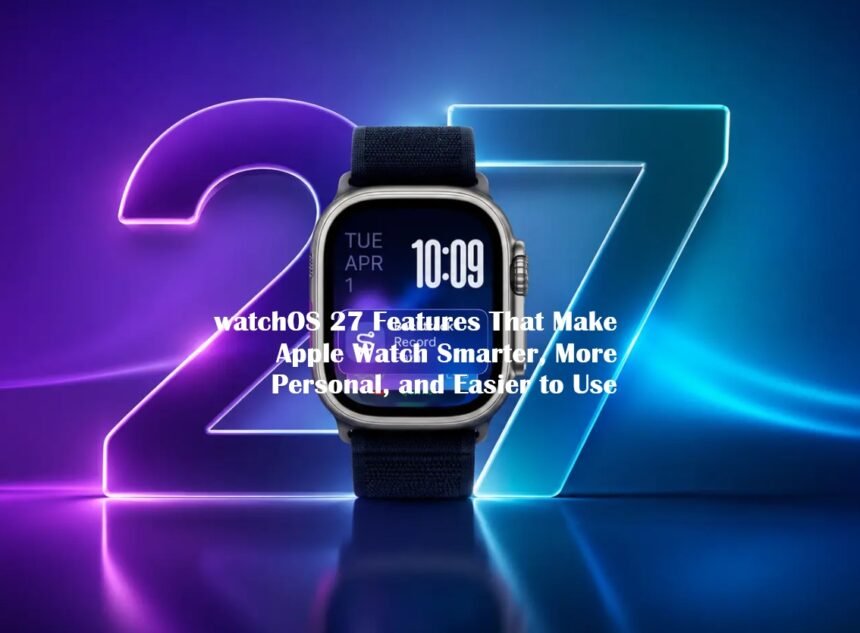
Apple is changing how users interact with its smartwatch through watchOS 27, an update that places artificial intelligence, personalized information, and everyday convenience at the center of the Apple Watch experience. Released publicly on September 14, 2026, the software introduces several features designed to reduce the time users spend navigating menus and searching for information.
Rather than focusing exclusively on visual changes, Apple has concentrated on making the watch more responsive to individual routines. From conversational Siri capabilities to smarter widgets and improved fitness tracking, the update expands the device’s role as a personal assistant worn on the wrist.
1. Siri AI Brings More Conversational Assistance
The most significant development in watchOS 27 is the arrival of a more capable Siri powered by artificial intelligence. Unlike earlier versions that primarily handled straightforward voice commands, the updated assistant supports more natural conversations and can use personal context to help complete tasks. It also incorporates app actions and awareness of information displayed on the screen. This approach could make Apple Watch more useful when users need information without reaching for their iPhones.
For example, users can interact with Siri to find information, request assistance, and perform supported actions through compatible apps. The system is designed to understand requests more effectively instead of requiring users to remember specific command formats. However, Siri AI processing is not performed entirely on the watch itself. The feature requires a compatible Apple Intelligence-enabled iPhone, meaning availability depends on the paired smartphone as well as the smartwatch model.
2. Smart Stack Becomes More Relevant to Daily Routines
Apple is also making the Smart Stack more useful by introducing additional context-aware suggestions. Instead of relying only on manually selected widgets, watchOS 27 can surface information when it becomes relevant. Suggestions include parked-car locations, birthday reminders, public transportation card balances, and notifications from the Noise app following exposure to loud sounds. These additions are intended to reduce the number of steps required to access frequently needed information.
The update also introduces a new single-handed tap gesture. Users can bring their index finger and thumb together once to select a Smart Stack widget, which is particularly useful when their other hand is occupied. For people who regularly use their watches while walking, exercising, or carrying objects, this gesture provides another way to interact with the interface without using both hands.
3. A More Dynamic Interface Improves Navigation
Another important change involves the Apple Watch app grid. The new Dynamic app grid highlights popular and recently used applications, helping users locate frequently accessed tools more quickly. This makes navigation more responsive to individual usage patterns rather than relying exclusively on a fixed arrangement of icons.
Apple has also refined its Liquid Glass interface to improve readability through more consistent visual effects and stronger contrast. The Find My experience has received a substantial organizational change as well. People, devices, and personal items now appear within a consolidated Find My app, featuring a map-oriented interface. Users can access location information through a more unified system instead of switching between separate tracking experiences.
4. Fitness Tracking Receives Practical Improvements
Fitness remains an important part of the Apple Watch ecosystem, and watchOS 27 introduces changes intended to improve workout accuracy. The Workout app now calculates treadmill distances more accurately from the beginning of a walking or running session. Meanwhile, the Fitness app provides improved route maps after outdoor workouts. These refinements are particularly relevant to users who depend on consistent activity measurements to monitor their training progress.
Apple has also improved the relationship between step counting in Fitness and the Health app, helping maintain consistency across the company’s health-tracking software. Battery management receives attention through proactive notifications that may suggest disabling certain features to extend battery life. Recommendations can involve gestures, workout reminders, and Raise to Speak functionality.
5. Music, Wallet, and Family Features Expand
Several smaller additions also improve the smartwatch’s everyday usefulness. Music playback now starts faster, while Shazam and Music Recognition can identify songs offline and provide results after an internet connection becomes available again. Custom Wallet passes created on an iPhone can also synchronize with Apple Watch.
Users can create passes for supported membership cards and other barcodes, making them accessible directly from the wrist. Parents receive additional controls through Apple Watch For Your Kids and updated Screen Time features. These tools provide options for monitoring app and website usage, setting schedules, and managing approved contacts.
6. Supported Apple Watch Models and Installation
watchOS 27 supports Apple Watch Series 9 and newer models, Apple Watch Ultra 2 and later, and Apple Watch SE 3. The update requires a paired iPhone running iOS 27 or later. Users with compatible devices can install the update through the Apple Watch Settings app. Overall, watchOS 27 focuses on making Apple Watch more intelligent, accessible, and practical.
Its combination of AI assistance, contextual widgets, fitness refinements, and improved navigation represents Apple’s broader effort to make wearable technology more closely integrated with everyday activities. The biggest change is not simply the addition of new applications. It is Apple’s attempt to make information and assistance available at the moment users need them, without requiring constant interaction with a smartphone.